
Run your FS25 dedicated servers from one PC
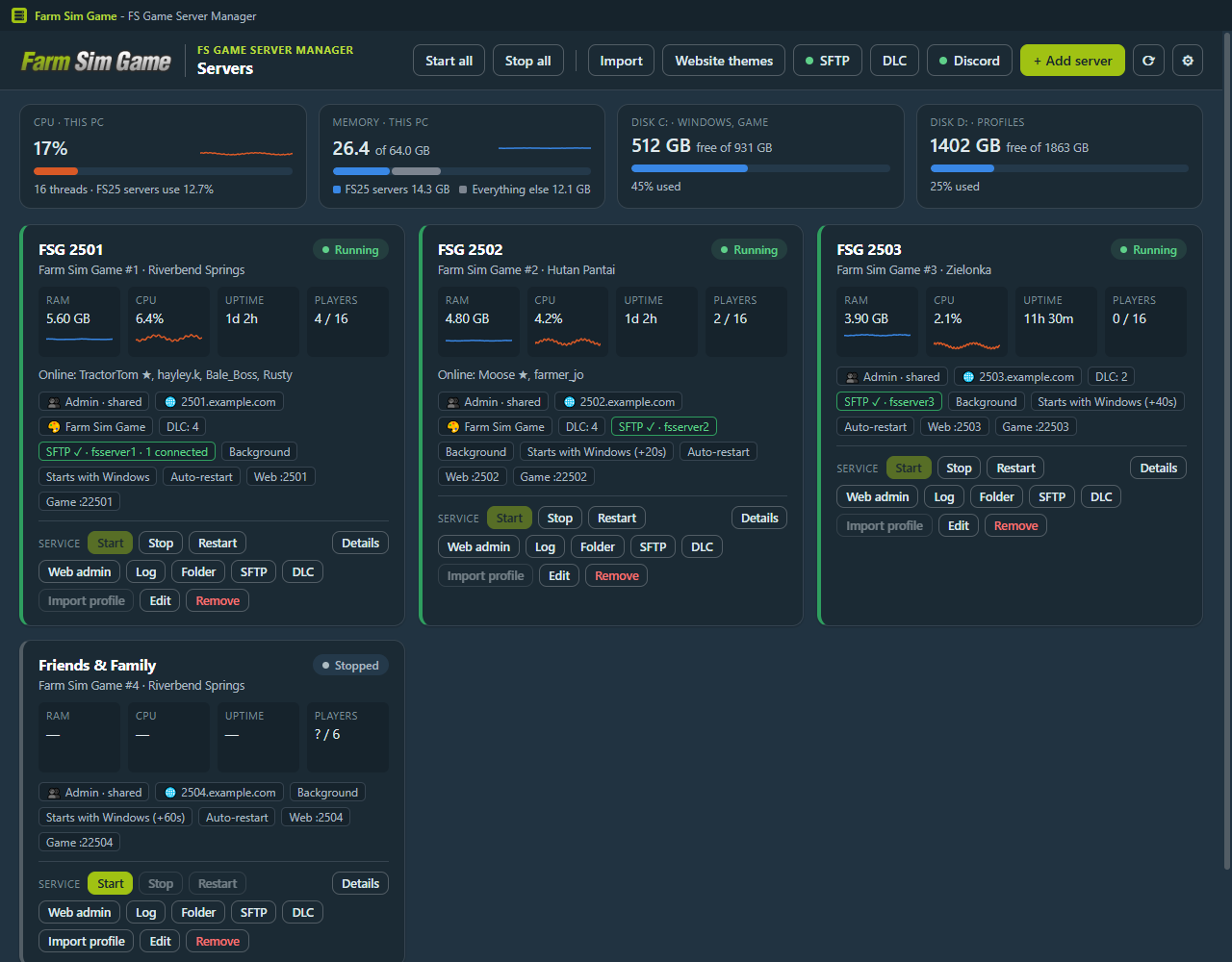
FS Game Server Manager is a small Windows app that sits in the tray. It starts your Farming Simulator 25 servers when the PC boots, brings them back when they crash, and puts every server in one window.
We wrote it to run the Farm Sim Game servers. Before it, they started from runas shortcuts in the Startup folder, which meant a console window per server and somebody signed in to the PC all the time. One server for friends or eight for a community, it works the same way.
Version , , Installer for 64-bit Windows
What it does
- Starts each server in the background when Windows starts, before anyone signs in. No console windows, nothing on the taskbar.
- Restarts a server that stops on its own. If one keeps crashing, it stops trying after five goes and tells you.
- Runs several servers under one Windows account, each with its own profile, saves, mods and DLCs.
- Shows RAM, CPU, players and uptime for every server, with graphs going back 24 hours.
- Changes server name, passwords, ports, player slots and crossplay without hand-editing XML.
- Installs DLCs per server and shows which server has which.
- Gives every server its own SFTP login, so you can manage mods and saves with TFC, WinSCP or FileZilla.
- Runs a Discord bot that posts when a server goes down and lets your admins start, stop and restart servers.
- Tells you when there's a new version and installs it for you. Your servers keep running while it updates.
What you need
- A Windows 10 or 11 PC that can stay on, with an administrator account. GIANTS lists Windows 11 for the dedicated server.
- Farming Simulator 25 for PC, installed on that PC and updated.
- One game key for every server you run. That's a GIANTS rule, not ours. You also can't play on a key that a server is using.
- A DLC key for every server that uses that DLC. See Keys & DLC.
- If people outside your home should join: a few ports forwarded on your router. The FAQ walks through it.
Buying keys? Use our partner links on the Keys & DLC page, or the code FSGAME on the GIANTS store. It supports this project and many others.
Setting it up
The short version. The docs have the long one.
- Install FS25 on the server PC and let it update.
- Download the manager and run the installer.
- On first start, check the game folder it found and pick a folder for the server profiles.
- Click + Add server, pick a server folder and save.
- Click Activate on the server and enter that server's game key.
- Click Start, then Web admin to pick a map and start the game.
Stuck? Check the FAQ first. Most questions are about ports, keys or mods, and they're all in there.